





CORE DNA MCP Now in production

Run every site

80+
tools · AI agents · 400+ APIs
Every content surface in your Core dna sites, agent-addressable

One protocol underneath.
Every change, every property, one prompt.

PROOF · NOT PROMISE THIS PAGE BUILT ITSELF

Every section of this page was built by Claude. Through the MCP server. In one conversation.

Structure, copy, layout, the compatibility matrix below, the auth accordion, the use case cards. Authored end-to-end through the Core dna MCP. The brief was nine bullet points of intent. The agent did the rest, in a single chat, in under fifteen minutes. If you are reading this on a public URL, the page you are on is the proof point. Other DXPs talk about AI. We hand you the build log.

What runs underneath every prompt FOUR GUARDRAILS · BUILT IN

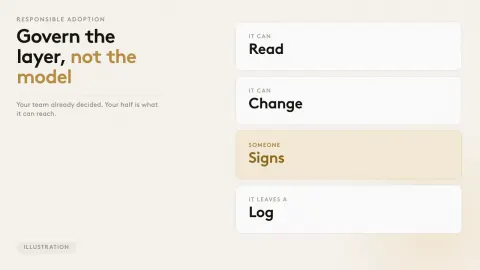
Your security, your workflows, your version history, your audit trail. All intact.

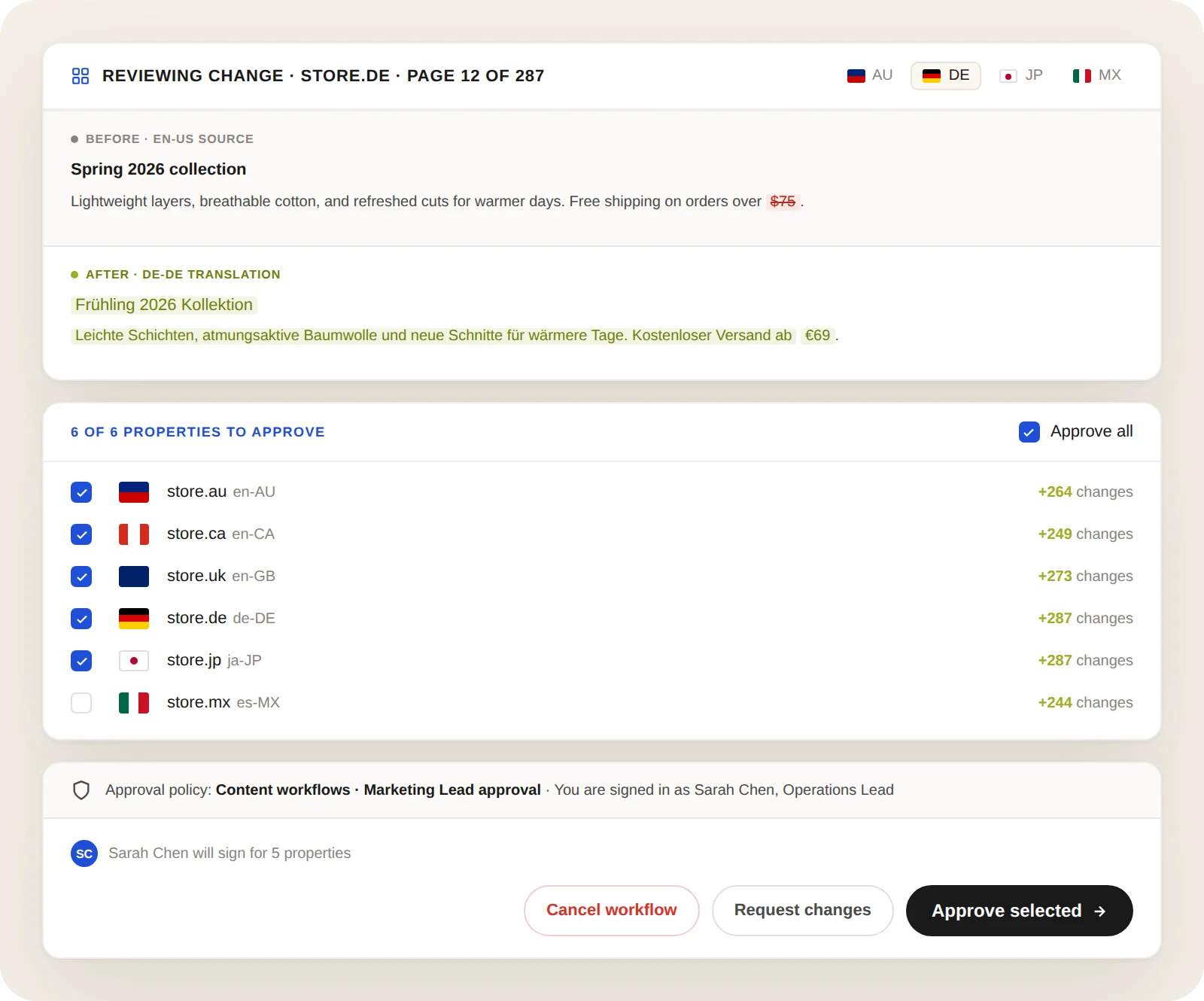
Agentic operations work because the platform underneath holds. The Core dna MCP inherits the same security model, approval workflows, revision history, and audit trail you already run.

01 YOUR SECURITY · IN AGENT FORM

Your security model, applied to every prompt

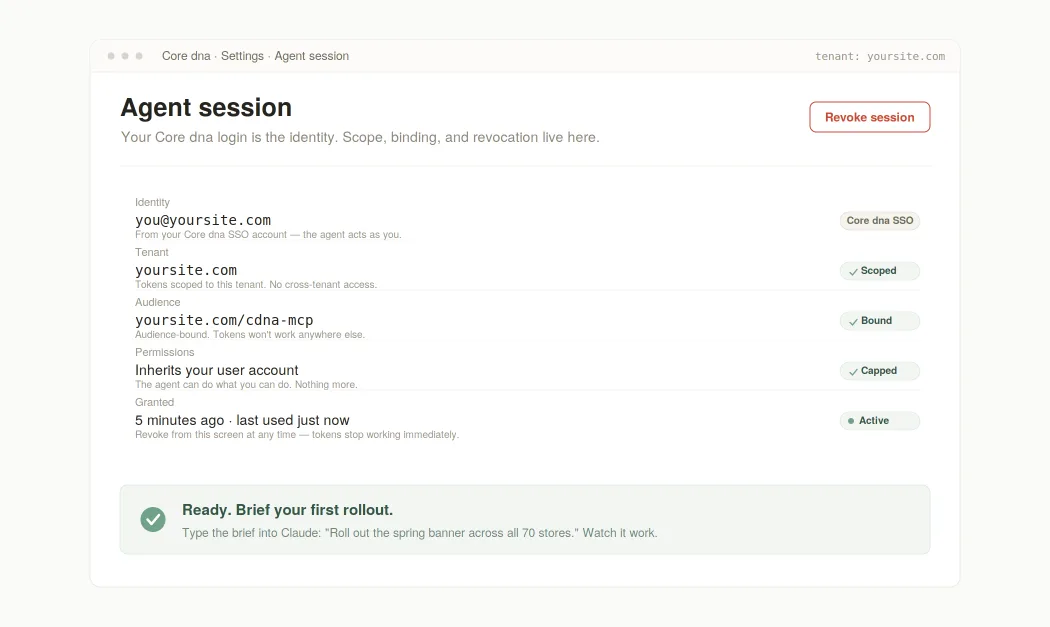
The agent inherits the role and permissions of whoever signed in. A junior with read-only stays read-only. A regional marketing lead can change their region and nothing else. Tokens are scoped to your tenant, audience-bound, and revocable from the admin at any time. OAuth 2.1 underneath, your existing logins on top.
02 REVIEW · APPROVAL · ROUTING

Workflows route the work the way you already work

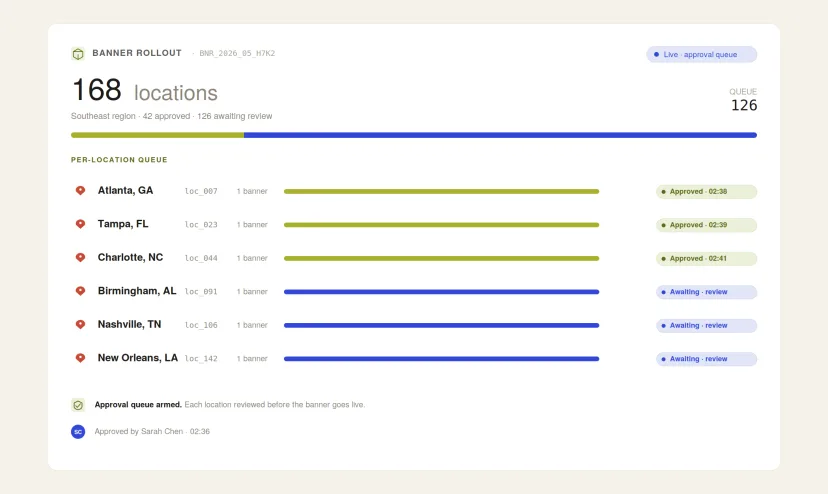
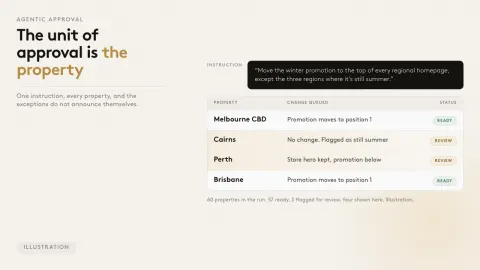
The agent does not bypass your approval steps. It drafts, requests approval, waits for sign-off, then publishes. Two-person rules, regional approvers, content review queues - whatever your team already runs in the admin, the agent runs in plain English.

03 EVERY PROMPT · A REVISION

Every prompt is a revision. Every revision rolls back.

Every change the agent makes is a versioned revision in Core dna. Diff the edit. Roll back the prompt. Compare a draft to the active version. The platform you already trust catches every change before it ships.

04 EVERY PROMPT · LOGGED

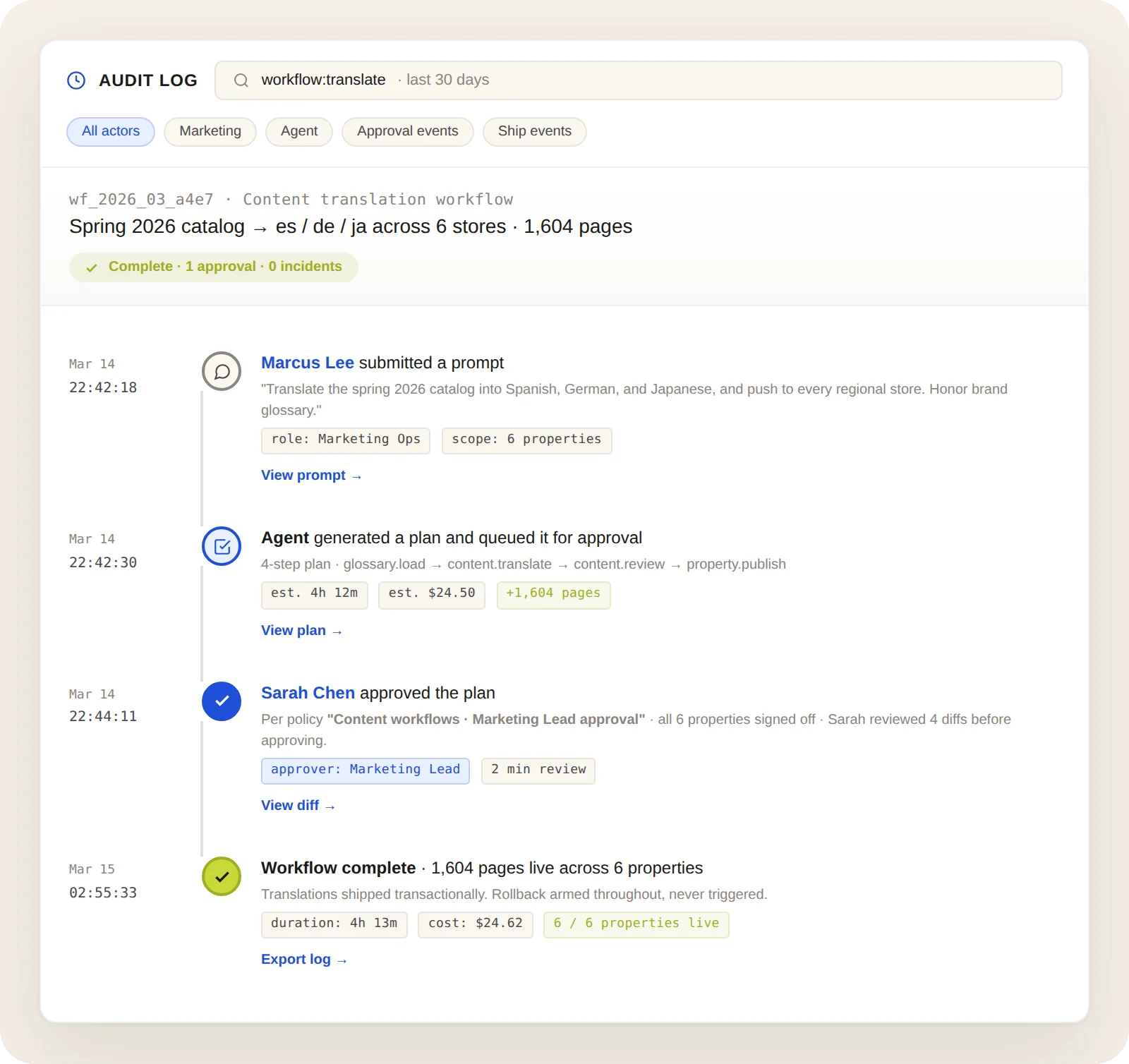
Audit trail per prompt, per session, per change

Who prompted what. What the agent did. What was approved. What was rolled back. A complete audit log per agent, per session, per content change. The kind of trail procurement, security, and compliance teams sign off on without a second meeting.

Real multi-property work, not hello-world prompts

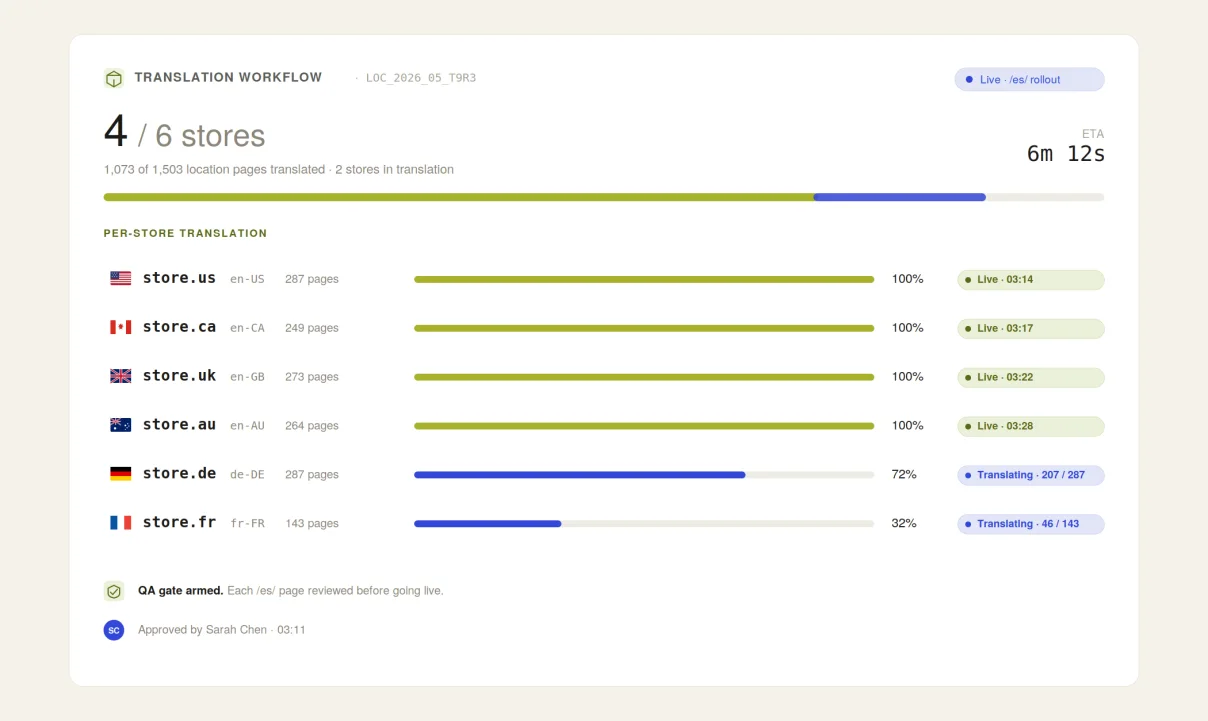
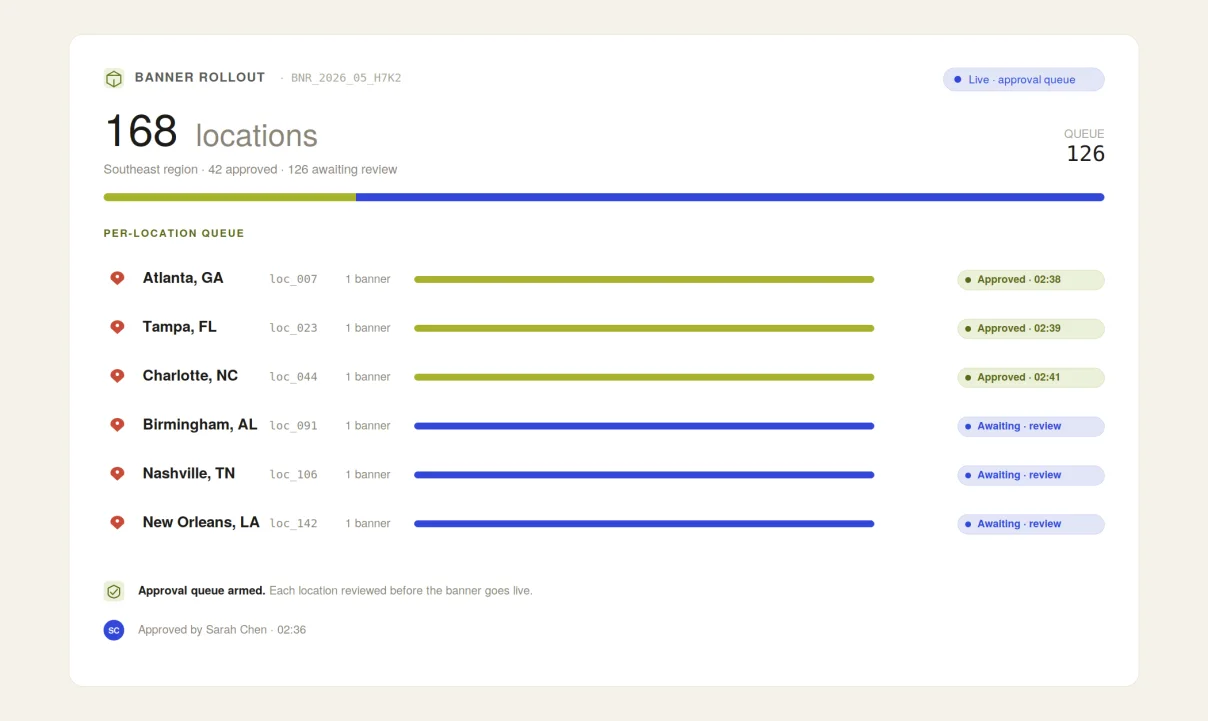
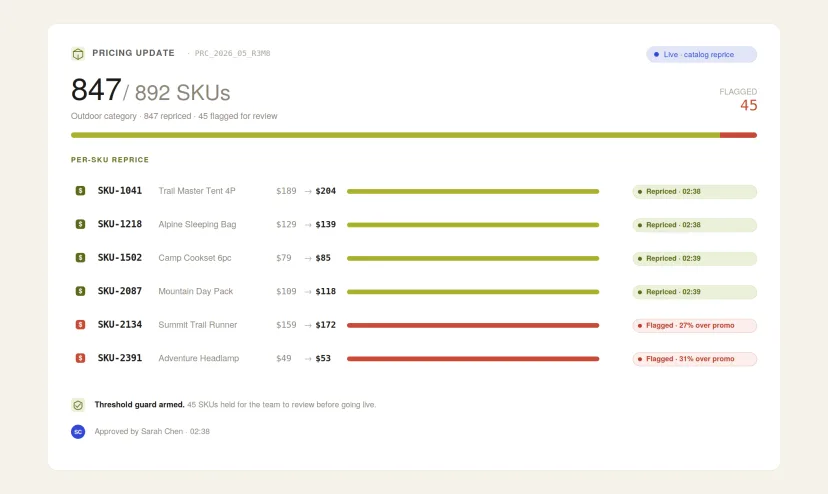
These are the kinds of rollouts marketing, ecommerce, and ops teams send their agent every week - from a single chat window, to every property you run.

Your DXP, now agent-native

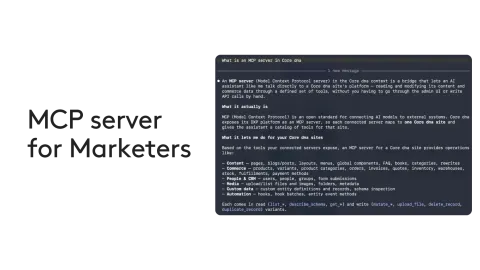
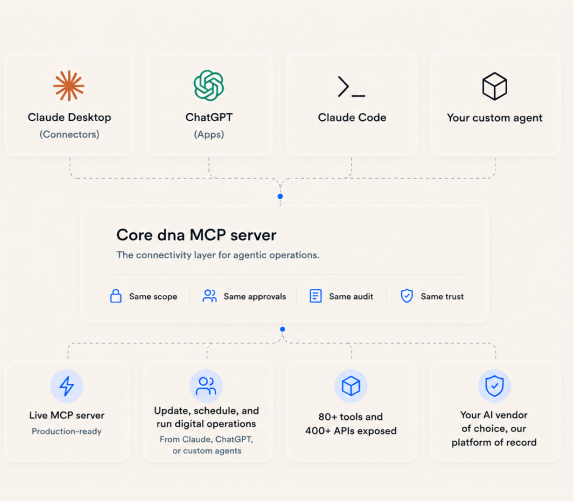
MCP stands for Model Context Protocol - the open standard that lets AI agents act inside platforms like Core dna. Think of it as USB-C for AI: one connector, every tool.

For a team running many digital properties, it means the agent in your browser can now do the rollout, not just talk about it. Launch a campaign page across every region. Swap a seasonal banner on 200 properties at once. Update store hours brand-wide. All in plain English, from the chat window you already have open.

  • Brief the change once - the agent rolls it out across every property
  • No more editing the same page two hundred times by hand
  • One agent reaches your DXP, your inbox, your calendar, your CRM
  • No new logins for your team - your Core dna identity is the identity
  • Per-property control when you need it, brand-wide reach when you don’t

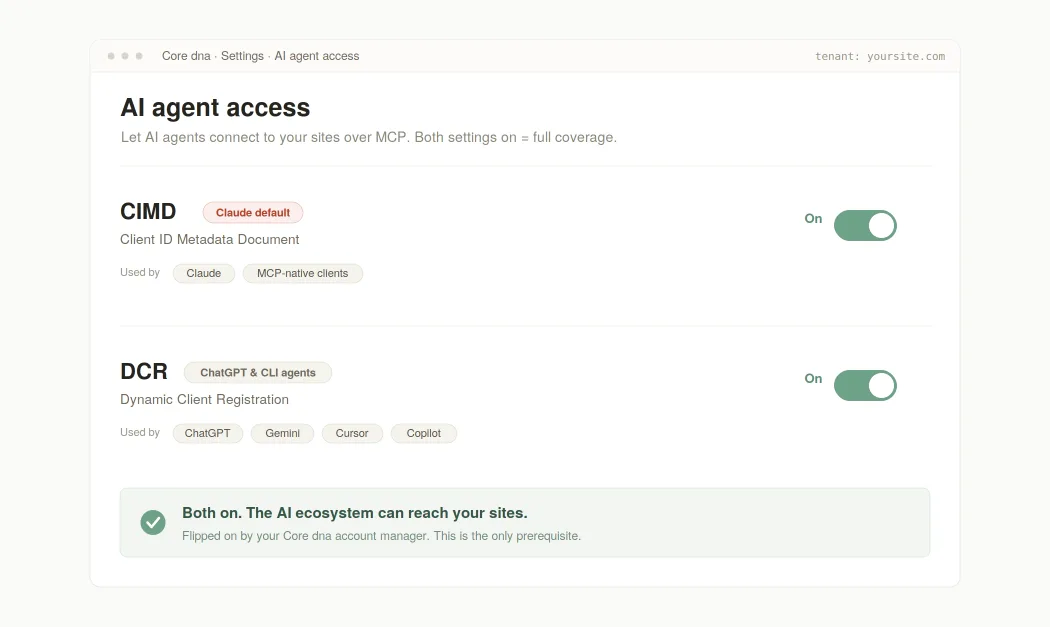
How to switch it on for your sites

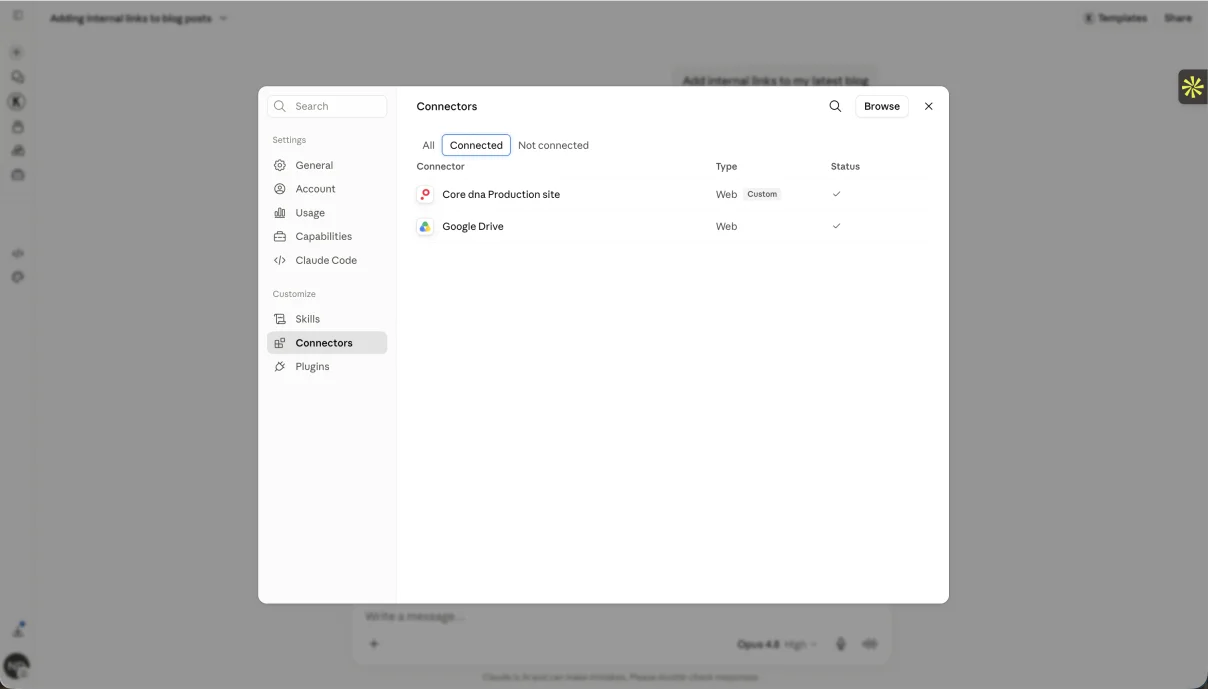
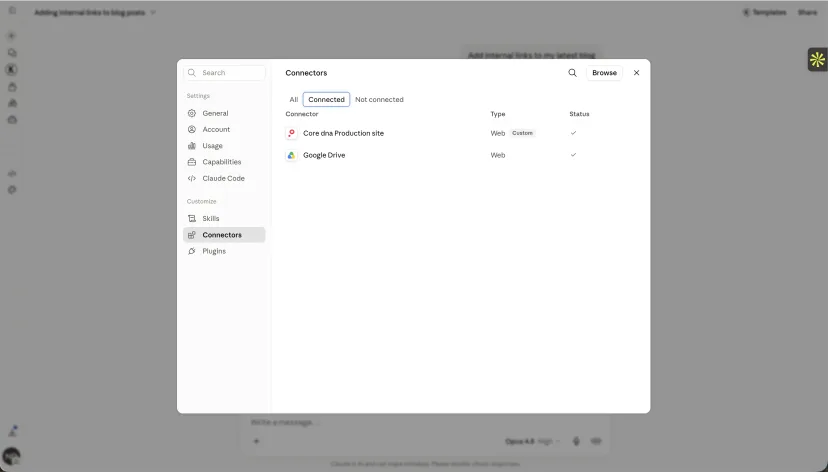
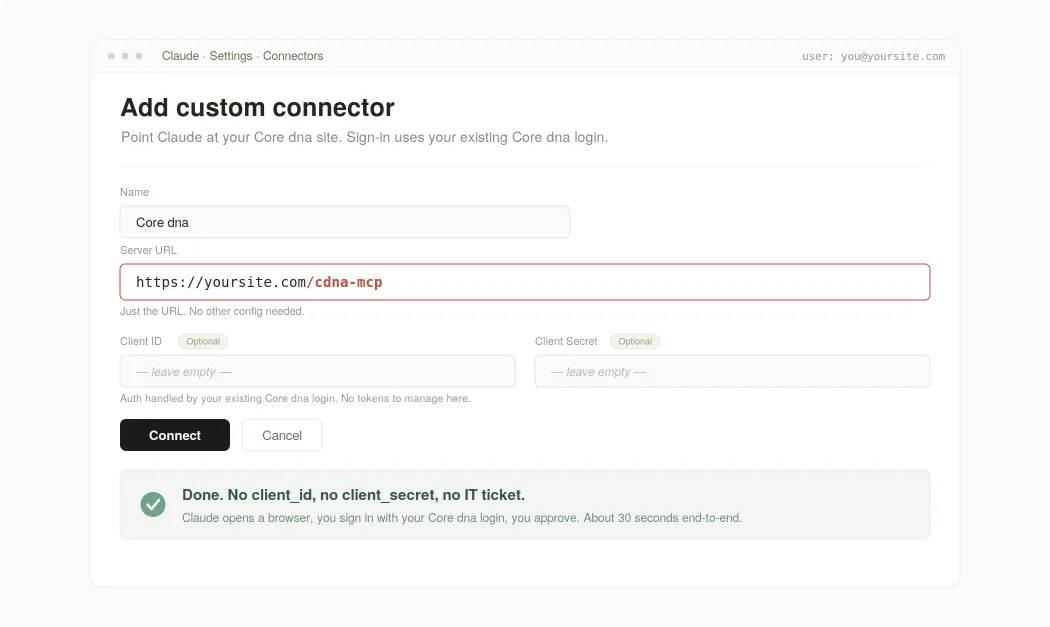
Step 2  -  Connect your AI agent
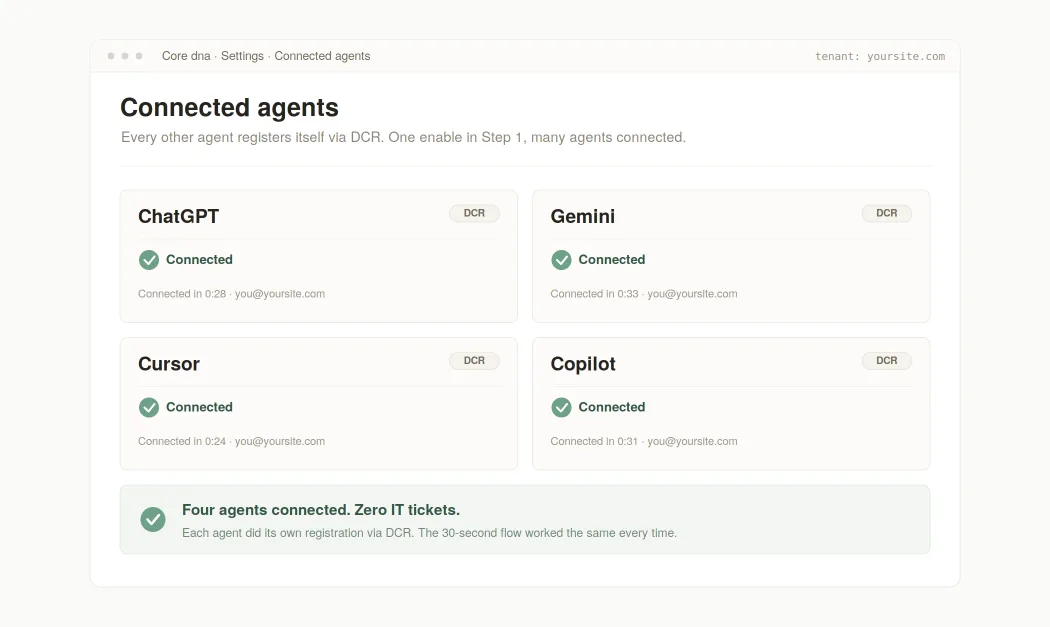
Step 3  -  Connect ChatGPT, Gemini, Cursor, Copilot

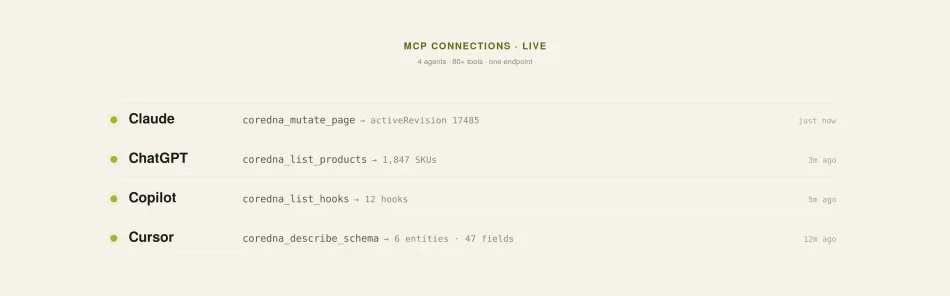
Works with every major AI agent

Nine clients tested in production. One protocol underneath. Pick the one your team already lives in.

OAUTH 2.1 · NO SECRETS · PER-REQUEST AUDITABLE

Security your IT team will sign off on

No client secrets ever touch the AI agent. The agent’s browser proves possession of the auth code with a cryptographic verifier. This is what Claude and most modern AI clients use by default - the OAuth 2.1 standard for public clients, and the safest option for software running on someone else’s machine.

No admin pre-registration, no tickets. On first connect, the AI agent calls the /oauth/register endpoint, gets a fresh client_id, and is good to go. Stale registrations are cleared after seven days. Used by ChatGPT, Claude Code, Codex, Gemini, Cursor, and every open-source IDE.

The AI agent’s client_id is itself a URL pointing to its own metadata document. Core dna fetches it, validates it, and pins the hash. The agent is identified without ever pre-registering. Used by Claude.ai today as the primary path.

What the agent can actually do

80+ tools across 22 modules, covering every content surface in your Core dna sites. Here’s the handful a multi-property team leans on most.

  • Write, duplicate, and publish pages. Spin up a new property page from a template, or clone a proven one. Full revision history on every change.
  • Cross-property content search. Find pages by slug, copy, SEO, category, tag, or region - across every property at once.
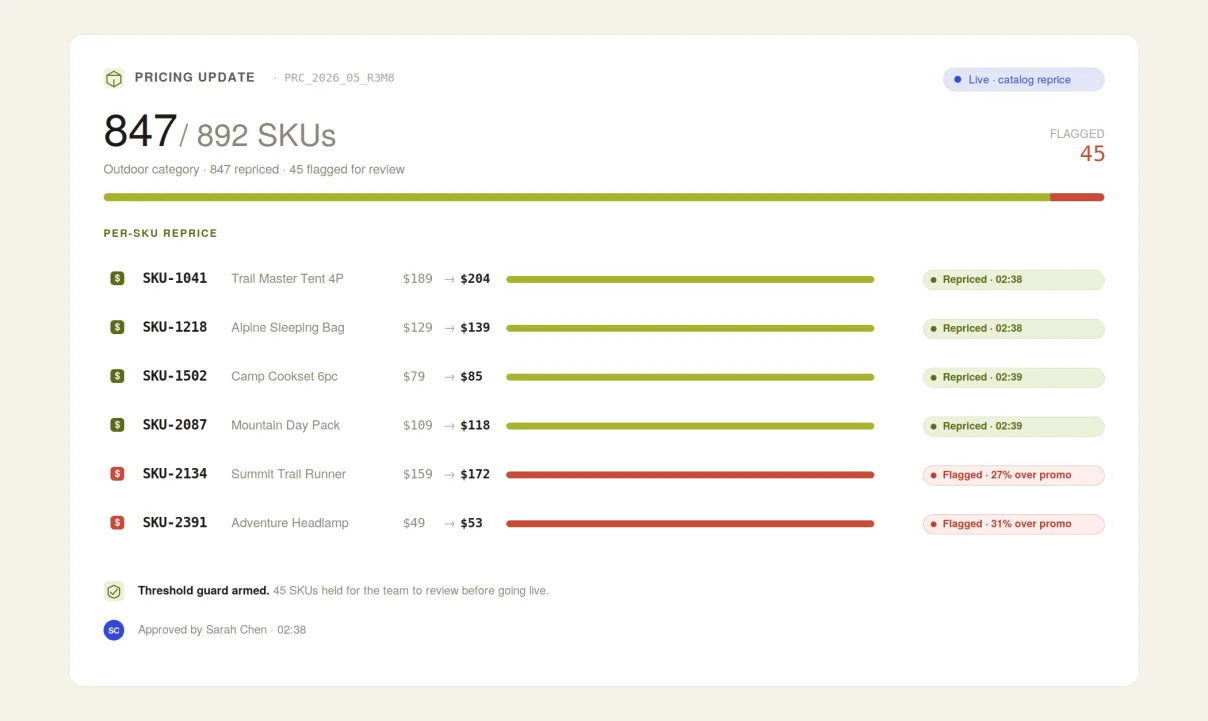
  • Bulk product and pricing edits. Change tiers, RRP, and promotional pricing across hundreds of SKUs and properties from one prompt.
  • Blogs, FAQs, forms, custom entities. Every content type your properties use is editable.
  • Files and images, three ways. See the next section.
  • Schema introspection. The agent learns your custom fields at runtime. Add a ‘store manager’ field today, the agent knows it tomorrow.
Tool spotlight illustration
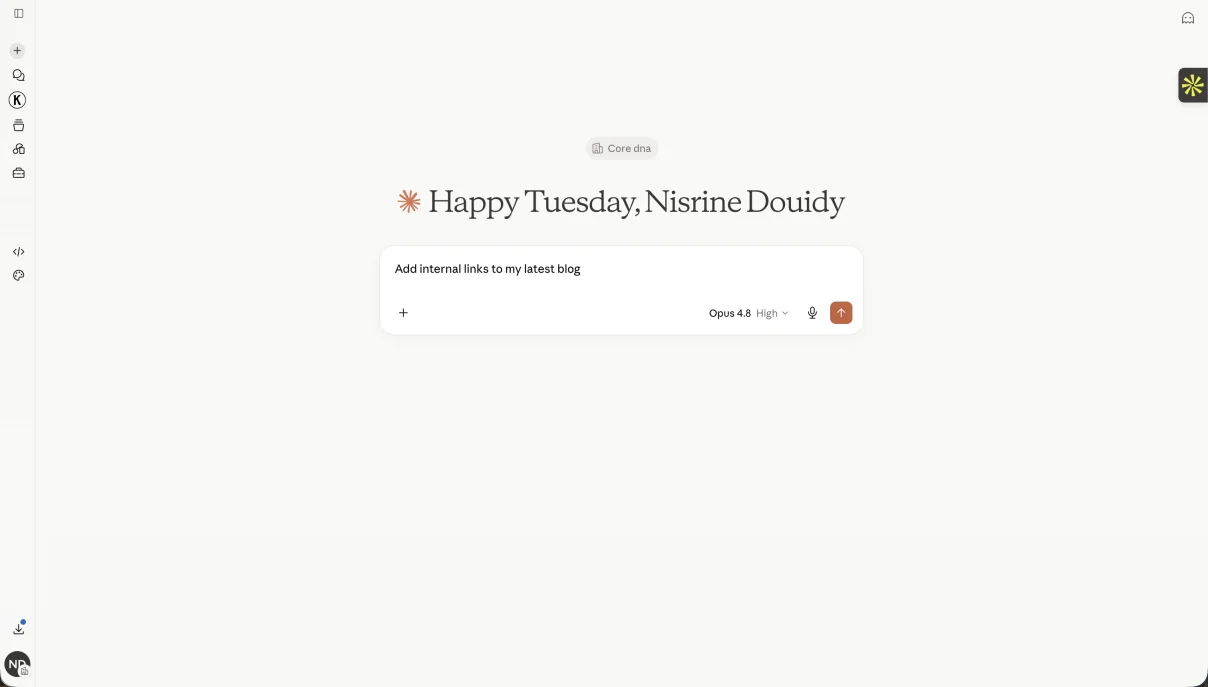
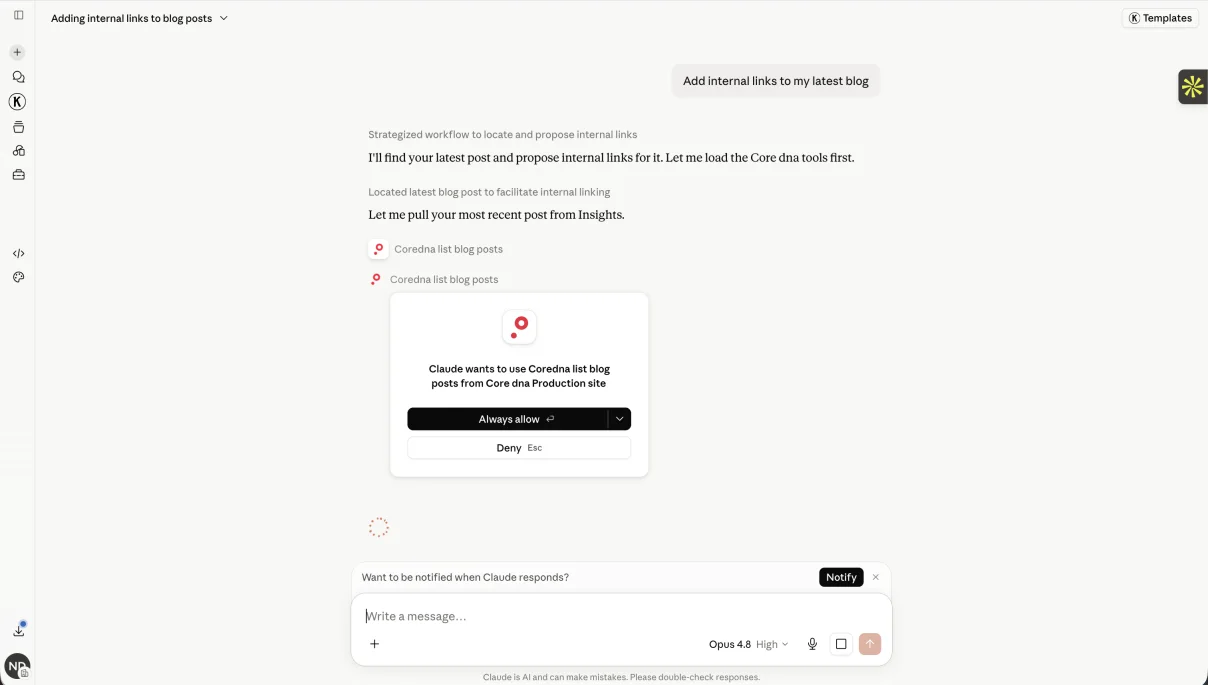
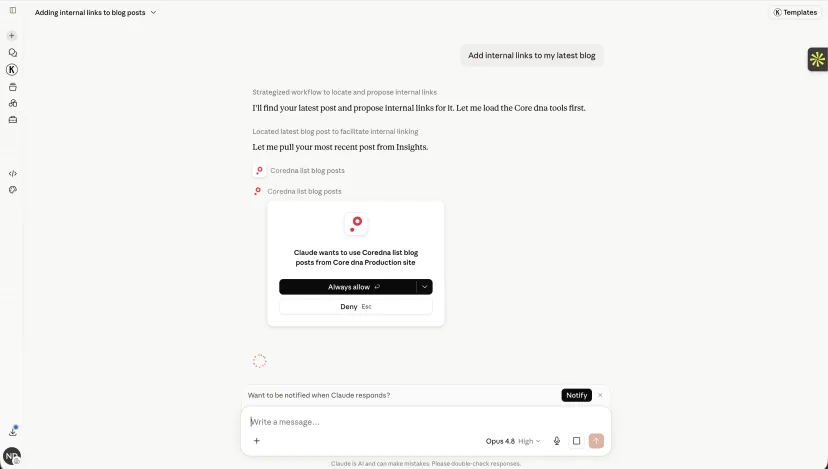
REAL PROMPTS · REAL ACTIONS · ONE CONVERSATION EACH

What it looks like when you brief the agent.

Three prompts a multi-property team sent the agent this quarter. Same chat window, every property, one conversation each.

Add images the way that fits your workflow

Images can land in your Core dna files library three different ways. Pick whichever matches the moment.

  • From a URL. Paste a public image URL into your prompt. The agent fetches it, uploads it, and places it. The most common flow.
  • Drag-and-drop or paste. Attach an image to your chat, or paste a screenshot. The agent sends it to Core dna and references it on your page.
  • From the admin UI. The classic flow still works. Upload via your file manager, then ask the agent to use the file at that path.

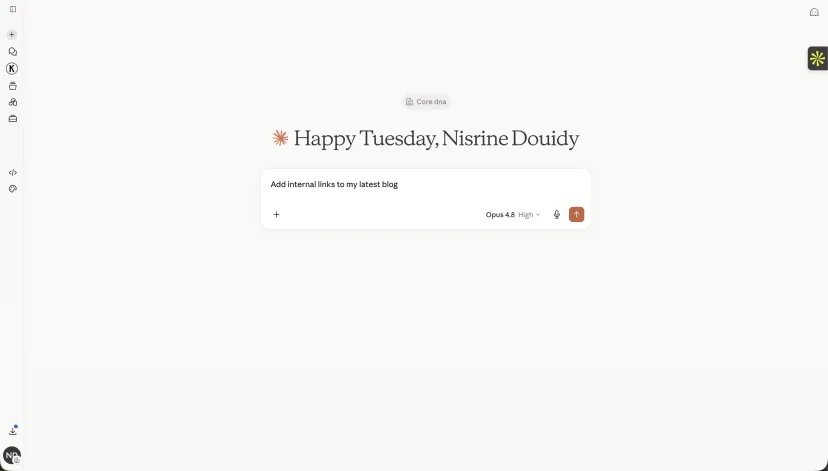
Your agent files its own bug reports. You just say the word.

When your agent hits a rough edge - an undocumented field, a confusing error, a tool that misbehaves - the conversation doesn’t have to end there. The Core dna MCP includes a feedback tool that ships the agent’s experience straight to the engineering team.

You don’t have to describe what went wrong. The agent already knows. It hit the friction. You just have to ask.

  • One line to invoke. Say ‘submit feedback to MCP’ and the agent writes the report - tool calls, payloads, and error messages included.
  • Zero overhead for you. No bug tracker login, no reproducing the issue, no screenshots.
  • Your edge case becomes the roadmap. The next team to try the same thing never hits the wall.

Today is amazing. Next quarter is more exciting.

The MCP server is live and shipping work in production today. Here is where it goes next.

Q3 2026
Webhook-triggered agents

Today the agent waits for a prompt. Next, it acts on platform events directly. A new product, an inventory threshold, an order in a state that needs review - any of these can trigger a scoped agent run automatically. The same guardrails, no human in the loop required for routine work.

Q3-Q4 2026
Agents in the orchestration lane

Autonomous agents inside the Core dna orchestration engine itself. Watch the audit log for anomalies. Read error logs and propose fixes. Run nightly SEO checks across every property and queue the changes for approval. Not a chat window - a quiet shift worker.

Rolling
Customer-attributed proof, every quarter

Verified outcomes from named customers landing on this page through the year. Hundreds of pages translated overnight. Multi-property rollouts shipped in minutes. The instrumentation is in flight; the numbers drop in here as they verify.

Ready to run every digital property from one prompt?

See how a multi-property team runs every site, store, brand, and location through a single agent - with the security, workflows, version control, and audit trail you already trust. Tailored walkthrough, not a generic demo.